Create your first tool
Define a SQL template with typed parameters that AI agents can call.
Create your first tool
Tools are the queries and actions you expose to AI agents. Each tool has a fixed SQL template, typed parameters, and a description that helps AI agents decide when to call it.
Anatomy of a tool
| Field | Purpose |
|---|---|
| Name | Identifier (e.g., get_revenue_by_quarter) |
| Description | What the tool does — AI agents read this to decide when to call it |
| Source | Which database to query |
| SQL template | The query with {{ parameter }} placeholders |
| Parameters | Typed inputs (string, number, boolean, date) |
Creating a tool
- Go to Tools and click Create tool
- Fill in the name and description
- Select a source
- Write your SQL template
- Define parameters
- Test and save
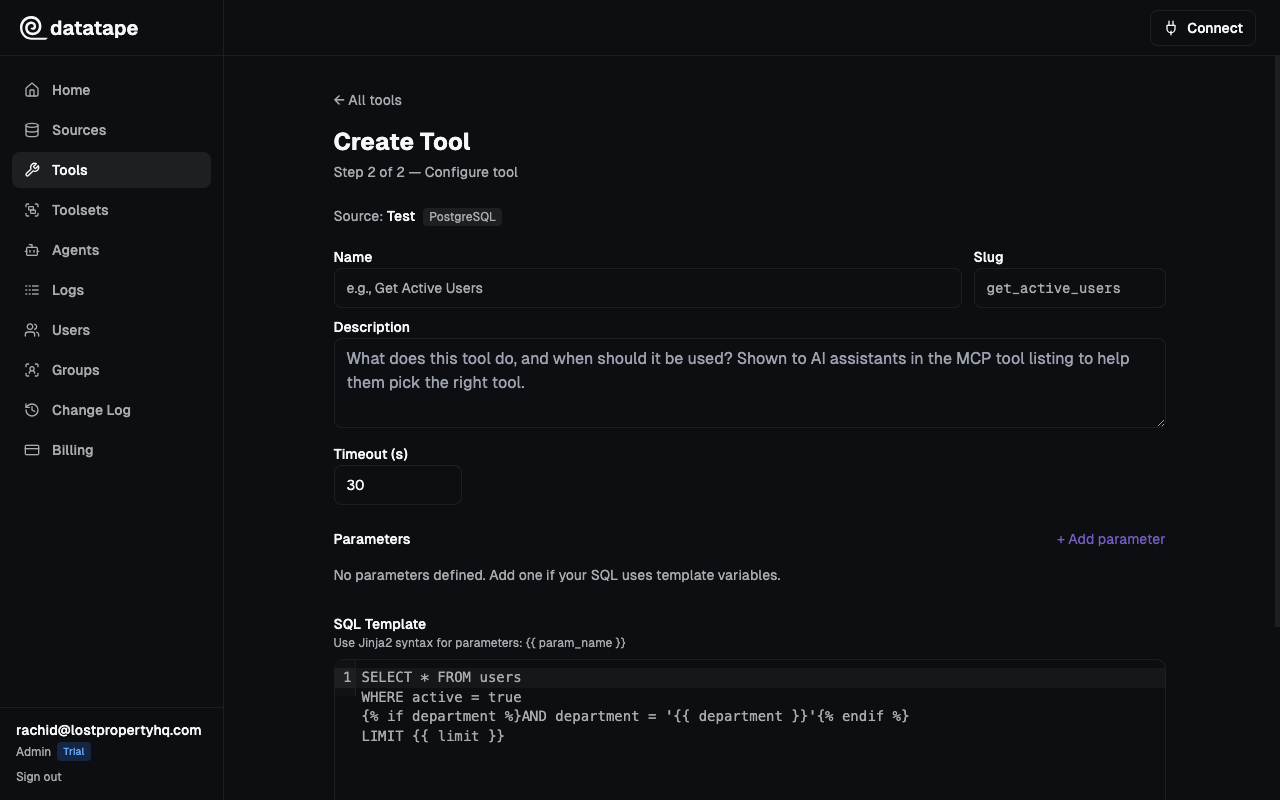
Writing SQL templates
Templates use {{ parameter }} syntax for value substitution and Jinja2 conditionals for optional clauses.
Basic template
SELECT product_name, revenue
FROM sales
WHERE region = {{ region }}
ORDER BY revenue DESC
LIMIT {{ limit }}
With optional parameters
Use {% if param %} blocks for optional filters:
SELECT customer_name, total_spent, last_order_date
FROM customers
WHERE 1=1
{% if region %}
  AND region = {{ region }}
{% endif %}
{% if min_spend %}
  AND total_spent >= {{ min_spend }}
{% endif %}
ORDER BY total_spent DESC
LIMIT {{ limit }}
When region is not provided, the clause is omitted entirely — no partial SQL, no errors.
Aggregation example
SELECT
  DATE_TRUNC('month', order_date) AS month,
  COUNT(*) AS order_count,
  SUM(amount) AS total_revenue
FROM orders
WHERE order_date >= {{ start_date }}
  AND order_date < {{ end_date }}
GROUP BY month
ORDER BY month
Defining parameters
Each parameter has:
| Field | Required | Description |
|---|---|---|
| Name | Yes | Must match {{ name }} in the SQL template |
| Type | Yes | string, number, boolean, or date |
| Required | Yes | Whether the parameter must be provided |
| Default value | No | Used when the parameter is omitted |
| Description | No | Help text shown to AI agents and in the API |
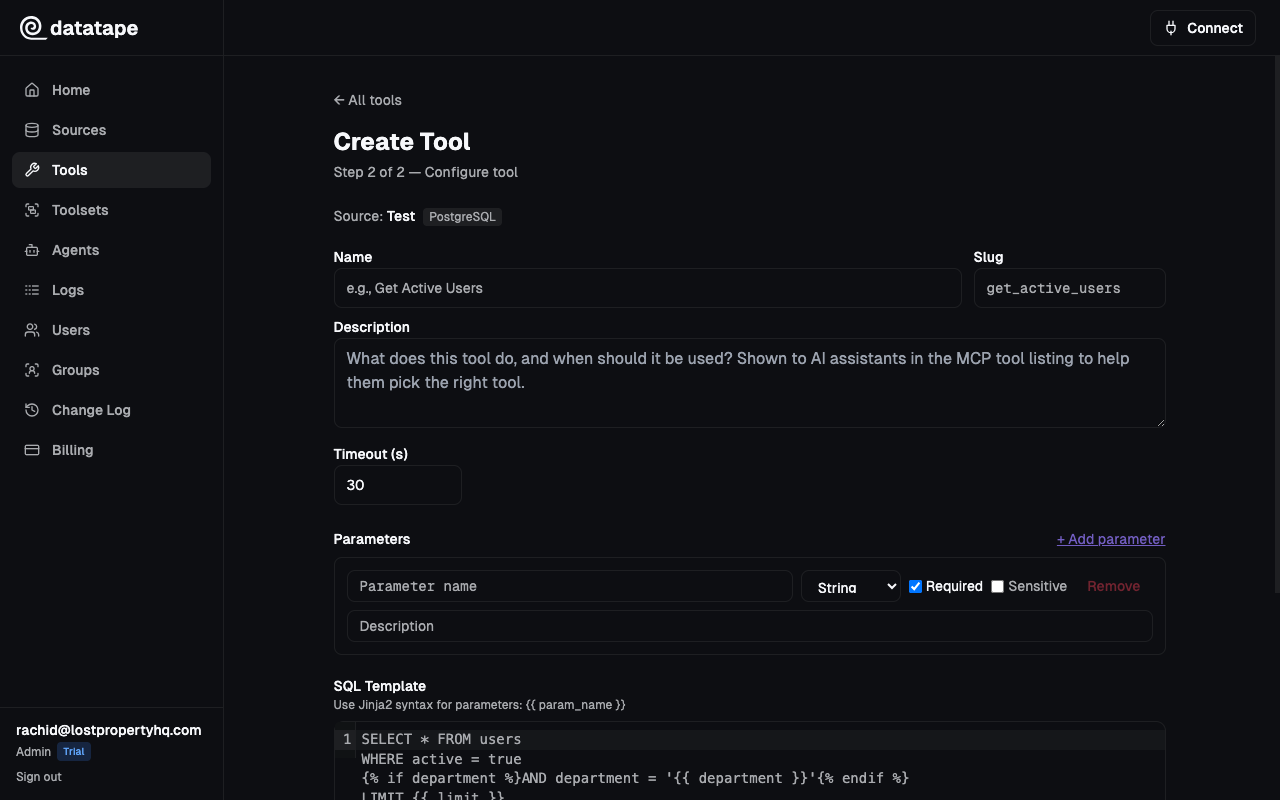
Parameter types are enforced at execution time. If an AI agent sends "42" for a number parameter, Datatape coerces it automatically.
Testing tools
Click Test to execute the tool with sample parameter values. The test runs against your actual database and returns real results.
The test result shows:
- Data — query results as a table
- Row count — number of rows returned
- Execution time — how long the query took
SQL validation
Before saving, Datatape validates your SQL template:
- Read-only check — SQLGlot parses the SQL and rejects INSERT, UPDATE, DELETE, DROP
- Template rendering — Verifies
{{ parameters }}and{% if %}blocks render correctly - Parameter binding — Confirms all parameters in the template are defined
You can also validate SQL independently via the Validate SQL button without saving the tool.
Previewing execution
Click Preview to see the rendered SQL without executing it. This shows exactly what query would run with your test parameters — useful for debugging complex templates.
-- Rendered SQL (preview)
SELECT customer_name, total_spent, last_order_date
FROM customers
WHERE 1=1
  AND region = $1
  AND total_spent >= $2
ORDER BY total_spent DESC
LIMIT $3

-- Parameters: ['us-west', 1000, 25]
Best practices
- Write descriptive tool names —
get_revenue_by_quarteris better thanquery1 - Write clear descriptions — AI agents use the description to decide when to call the tool. Be specific about what it returns and when to use it.
- Use optional parameters — Let AI agents call tools with minimal inputs. Use
{% if %}blocks for optional filters. - Set sensible defaults — Default
limitto 10 or 25 to prevent large result sets. - Add parameter descriptions — Help AI agents understand what values to pass (e.g., "ISO country code like 'US' or 'GB'").