Snowflake
Connect a Snowflake data warehouse as a source for your Datatape tools.
Snowflake source
Connect your Snowflake data warehouse to give AI agents read access to analytics data, reports, and business metrics.
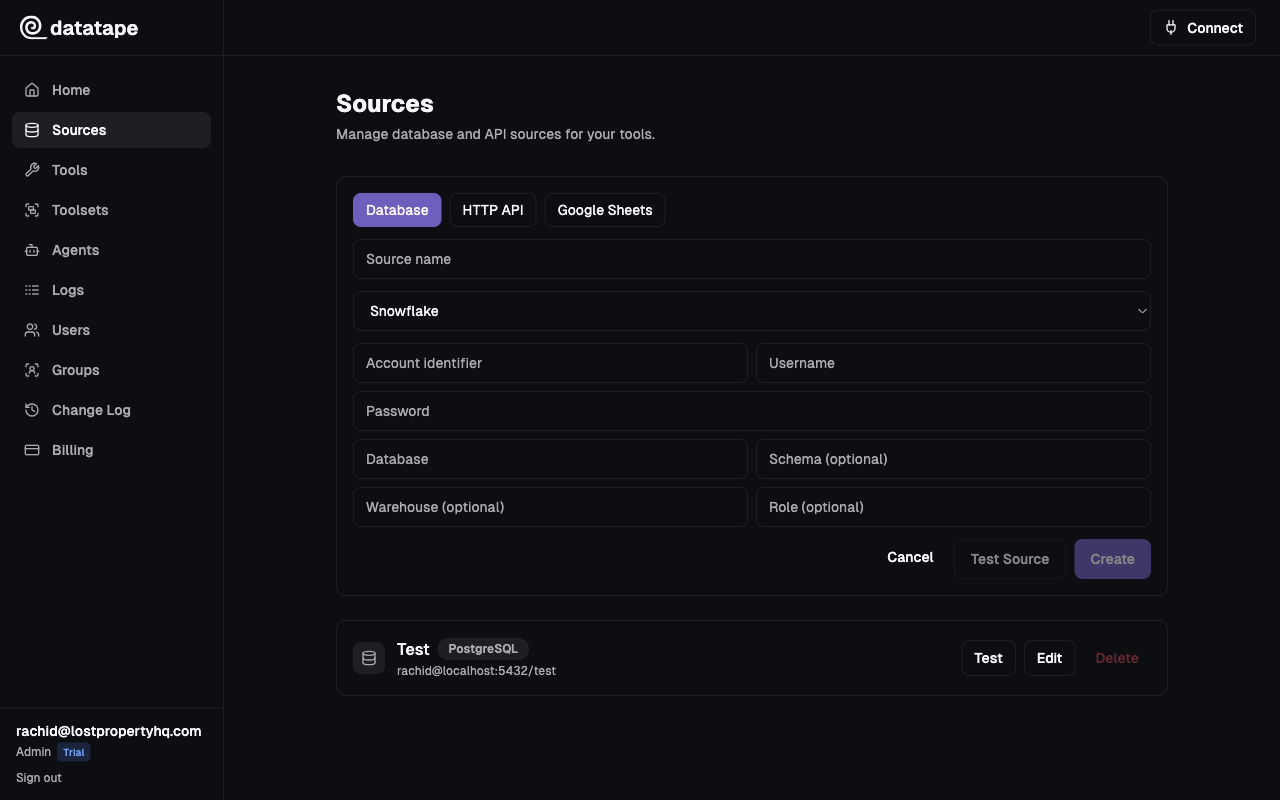
Connection fields
| Field | Required | Default | Description |
|---|---|---|---|
| Account | Yes | — | Your Snowflake account identifier (e.g., xy12345.us-east-1) |
| Username | Yes | — | Snowflake user |
| Password | Yes | — | Snowflake user password |
| Database | Yes | — | Target database name |
| Schema | No | PUBLIC | Default schema for queries |
| Warehouse | No | User default | Compute warehouse to use |
| Role | No | User default | Snowflake role to assume |
Account:    xy12345.us-east-1
Username:   DATATAPE_USER
Password:   ••••••••
Database:   ANALYTICS
Schema:     PUBLIC
Warehouse:  COMPUTE_WH
Role:       ANALYST_RO
The account identifier is the portion of your Snowflake URL before .snowflakecomputing.com. For example, if your URL is https://xy12345.us-east-1.snowflakecomputing.com, enter xy12345.us-east-1.
Recommended setup
Create a dedicated user and role
-- Create a read-only role
CREATE ROLE DATATAPE_RO;
GRANT USAGE ON DATABASE ANALYTICS TO ROLE DATATAPE_RO;
GRANT USAGE ON SCHEMA ANALYTICS.PUBLIC TO ROLE DATATAPE_RO;
GRANT SELECT ON ALL TABLES IN SCHEMA ANALYTICS.PUBLIC TO ROLE DATATAPE_RO;
GRANT SELECT ON FUTURE TABLES IN SCHEMA ANALYTICS.PUBLIC TO ROLE DATATAPE_RO;

-- Create a dedicated user
CREATE USER DATATAPE_USER
  PASSWORD = 'your-secure-password'
  DEFAULT_ROLE = DATATAPE_RO
  DEFAULT_WAREHOUSE = COMPUTE_WH;

GRANT ROLE DATATAPE_RO TO USER DATATAPE_USER;
Never use ACCOUNTADMIN or SYSADMIN roles for Datatape. Use a custom read-only role scoped to the specific databases and schemas your tools need.
Grant access to additional schemas
If your tools query multiple schemas, grant access to each one:
GRANT USAGE ON SCHEMA ANALYTICS.MARKETING TO ROLE DATATAPE_RO;
GRANT SELECT ON ALL TABLES IN SCHEMA ANALYTICS.MARKETING TO ROLE DATATAPE_RO;
GRANT SELECT ON FUTURE TABLES IN SCHEMA ANALYTICS.MARKETING TO ROLE DATATAPE_RO;
Warehouse selection
The warehouse determines the compute resources used for your queries. Keep these guidelines in mind:
| Consideration | Recommendation |
|---|---|
| Size | Start with X-SMALL. Datatape tools are typically short, targeted queries. |
| Auto-suspend | Set to 60 seconds to minimize credit consumption. |
| Auto-resume | Enable so queries work even after idle periods. |
| Dedicated warehouse | Use a separate warehouse for Datatape to isolate cost tracking. |
CREATE WAREHOUSE DATATAPE_WH
  WAREHOUSE_SIZE = 'X-SMALL'
  AUTO_SUSPEND = 60
  AUTO_RESUME = TRUE;

GRANT USAGE ON WAREHOUSE DATATAPE_WH TO ROLE DATATAPE_RO;
Role-based access
When you specify a role in the connection settings, Datatape assumes that role for every query. This lets you control access at a fine-grained level using Snowflake's native RBAC.
If no role is specified, Snowflake uses the user's DEFAULT_ROLE.
Common connection issues
| Symptom | Likely cause | Fix |
|---|---|---|
Incorrect username or password | Wrong credentials | Verify username and password |
Account not found | Malformed account identifier | Use only the account locator (e.g., xy12345.us-east-1), not the full URL |
Warehouse does not exist or not authorized | Warehouse name typo or missing grant | Check warehouse name and GRANT USAGE |
Database does not exist | Wrong database name or missing grant | Verify with SHOW DATABASES; |
Role not authorized | Role not granted to user | Run GRANT ROLE ... TO USER ... |
Testing the connection
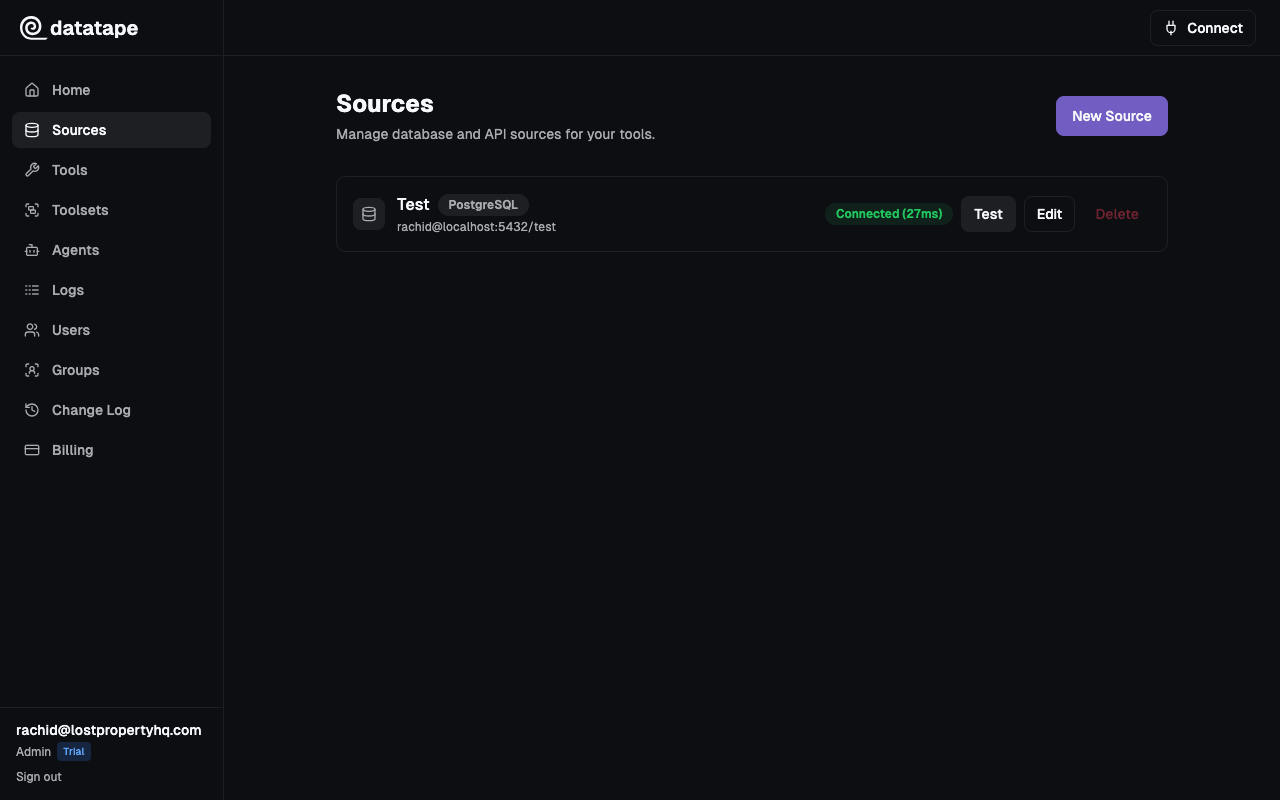
Click Test connection before saving. Datatape runs SELECT 1 using the specified warehouse and role.
Security notes
- Credentials are encrypted at rest with Fernet
- Snowflake connections always use TLS encryption
- Each source is scoped to your organization