Parameters
Define typed parameters for your tools with validation, defaults, and descriptions.
Parameters
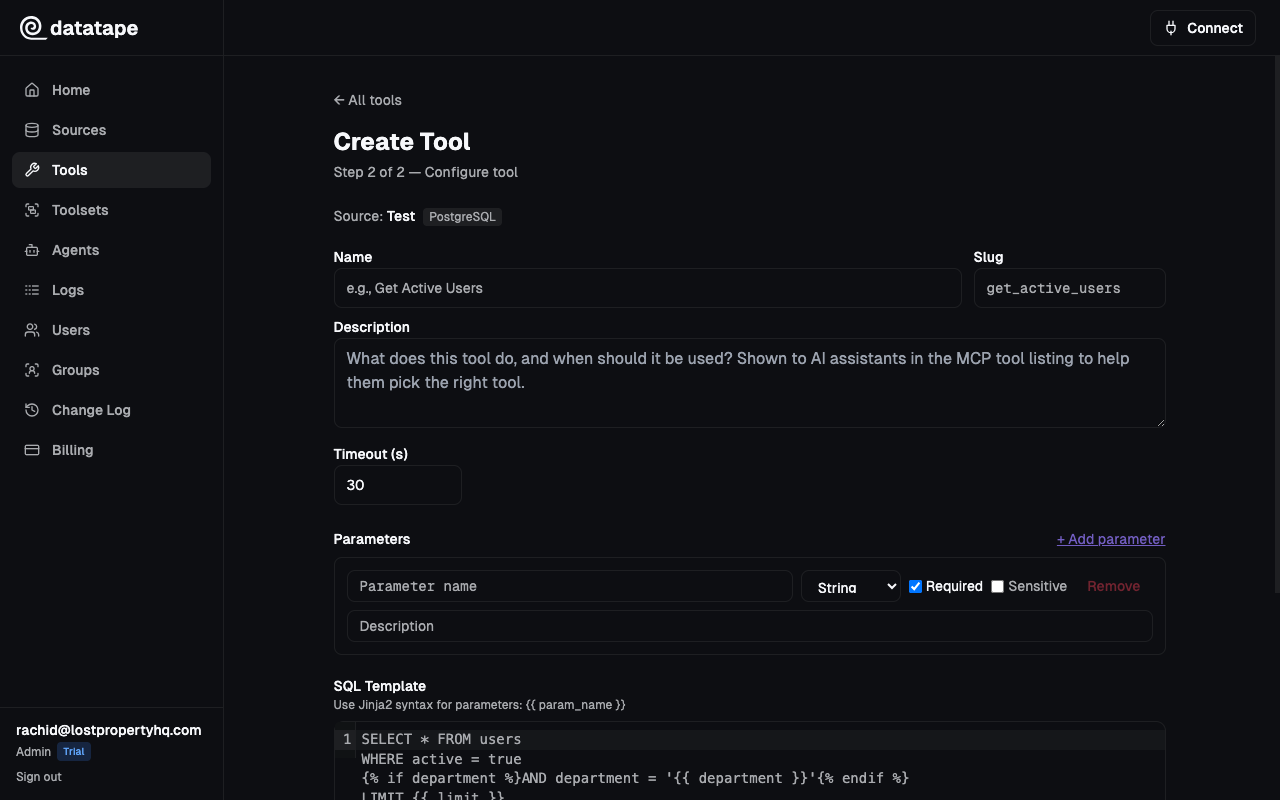
Parameters define the inputs that AI agents provide when calling your tools. Each parameter has a name, type, and optional metadata that helps agents use the tool correctly.
Parameter Types
Datatape supports four parameter types. Values are automatically coerced to the correct type before query execution.
| Type | JSON Schema Type | Python Type | Example Values |
|---|---|---|---|
string | string | str | "enterprise", "US-East" |
number | number | int or float | 42, 99.5 |
boolean | boolean | bool | true, false |
date | string (format: date) | str (ISO 8601) | "2025-01-15" |
Type Coercion Rules
When an AI agent passes a value, Datatape coerces it to the declared type:
String
Any value is converted with str(). This is the most permissive type.
Number
- Integers and floats pass through directly
- Strings like
"42"or"3.14"are parsed automatically - Booleans are rejected (prevents
truefrom becoming1)
Boolean
- Native
true/falsepass through - Strings
"true","1","yes"coerce totrue - Strings
"false","0","no"coerce tofalse - Other values raise a validation error
Date
- ISO 8601 strings like
"2025-01-15"are accepted - Datetime strings like
"2025-01-15T10:30:00Z"are truncated to the date portion - The
Zsuffix for UTC is handled automatically - Returns ISO format (
YYYY-MM-DD) for database binding
Type coercion happens before the SQL template is rendered, so your queries always receive correctly typed values.
Required vs Optional
Mark a parameter as required when the query cannot function without it. Required parameters that are missing cause a validation error before the query runs.
Optional parameters are omitted from the query when not provided. Pair them with {% if %} conditionals in your SQL template:
SELECT * FROM products
WHERE category = {{ category }}
{% if min_price %}AND price >= {{ min_price }}{% endif %}
Here, category would be required and min_price optional.
Default Values
Set a default value for parameters that should have a sensible fallback. Defaults are used when the AI agent omits the parameter.
| Parameter | Type | Required | Default | Behavior |
|---|---|---|---|---|
limit | number | false | 10 | Returns 10 rows if not specified |
status | string | false | null | Clause is excluded via {% if %} |
region | string | true | — | Agent must always provide a value |
Default values are stored as strings and coerced to the parameter type at execution time. A default of "10" on a number parameter becomes 10.
Description
The description field is surfaced to AI agents as part of the tool's JSON Schema. A good description helps agents choose the correct value without guessing.
Good descriptions:
"Two-letter country code (e.g., US, GB, DE)""Order status: pending, shipped, delivered, or cancelled""ISO 8601 date. Defaults to 30 days ago if omitted."
Bad descriptions:
"The region"(too vague)""(missing entirely)
Think of parameter descriptions as a business glossary entry — they tell the AI what values are valid and what they mean.
Position / Ordering
Each parameter has a position field (starting at 0) that controls display order in the UI and the JSON Schema. This is purely cosmetic and does not affect query execution.
Example: Complete Parameter Set
A tool that queries customer orders might define:
| Name | Type | Required | Default | Description |
|---|---|---|---|---|
customer_id | string | true | — | Unique customer identifier (e.g., cust_abc123) |
status | string | false | — | Filter by status: pending, shipped, delivered |
min_total | number | false | — | Minimum order total in USD |
since | date | false | — | Only orders placed on or after this date |
limit | number | false | 25 | Maximum number of results to return |