Get your MCP URL
Find your organization's MCP endpoint and connect AI clients to your tools.
Get your MCP URL
Datatape exposes your tools through an org-level MCP endpoint. All agents and tools in your organization are accessible through a single URL.
Your MCP endpoint
Every organization gets a single MCP endpoint:
https://your-org-id.mcp.datatape.ai/mcpClick Connect in the top-right of the dashboard to open the Connect panel, which shows your endpoint URL, a Claude Desktop config snippet, and your available tools.
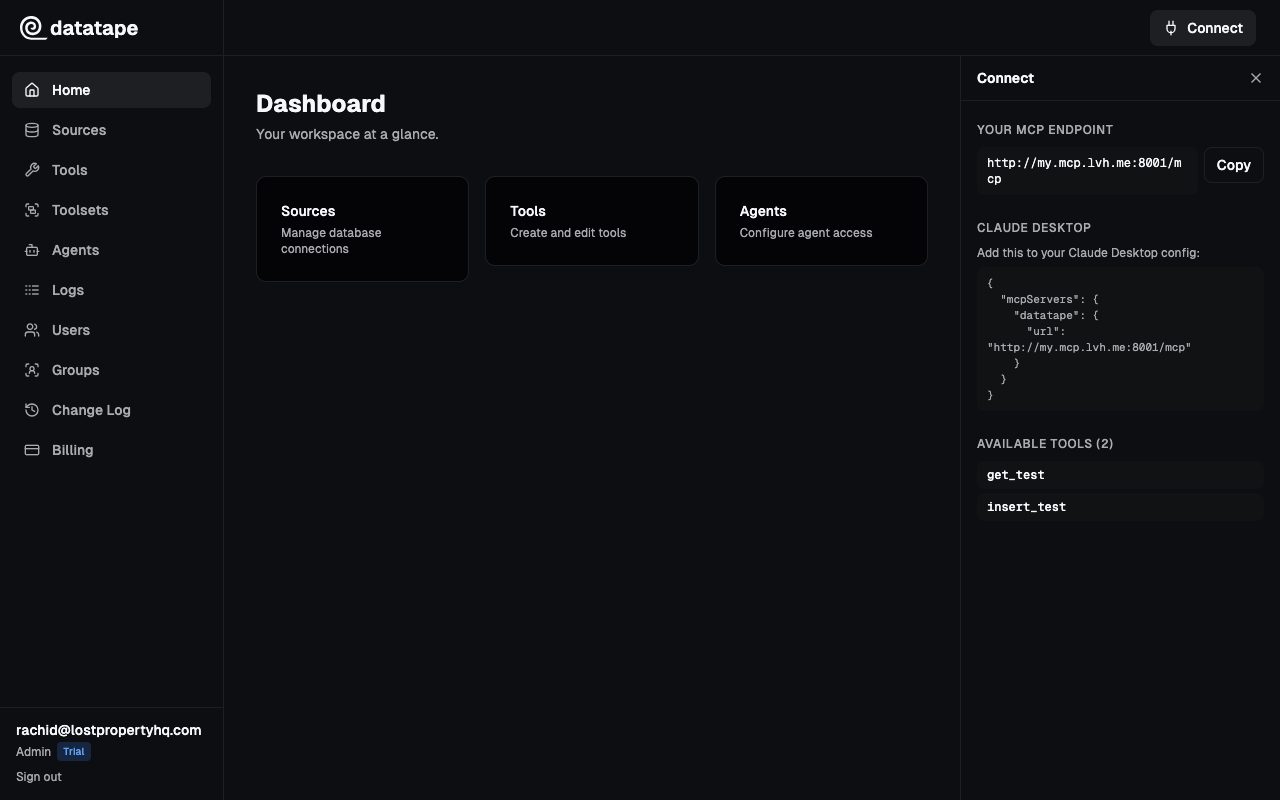
User endpoint
For personal access across all your organizations, Datatape provides a user-level endpoint:
https://my.mcp.datatape.ai/mcpThis endpoint authenticates via OAuth and gives you access to the tools assigned to you — either directly or through toolsets and group memberships.
Connect AI clients
Claude Desktop
Add to ~/Library/Application Support/Claude/claude_desktop_config.json (macOS) or %APPDATA%\Claude\claude_desktop_config.json (Windows):
{
  "mcpServers": {
    "datatape": {
      "url": "https://your-org-id.mcp.datatape.ai/mcp"
    }
  }
}
Restart Claude Desktop. Your tools will appear in Claude's tool list.

Claude Code
claude mcp add datatape https://your-org-id.mcp.datatape.ai/mcpCursor
- Open Settings > MCP Servers
- Click Add Server
- Paste your MCP endpoint URL
- Save

ChatGPT
ChatGPT supports MCP via the desktop app. Add Datatape as an MCP server in ChatGPT's settings.
Any MCP client
Datatape implements the standard MCP protocol. Any client that supports Streamable HTTP transport can connect using the endpoint URL.
Authentication
Interactive clients (Claude Desktop, Cursor) use OAuth for authentication. When a client connects, it opens a browser for login.
For programmatic access (CI/CD, scripts, automation), create an agent to get an API key:
curl https://your-org-id.mcp.datatape.ai/mcp \
  -H "Authorization: Bearer dt_your_agent_api_key_here"
HTTP API
Your organization also has a separate HTTP API endpoint for REST-style access:
https://your-org-id.http.datatape.aiThis lets you call tools via standard HTTP requests without needing an MCP client.
What's next?
- Create an agent — Get an API key for programmatic access
- Add team members — Share access with your team
- Use the CLI — Call tools from the terminal