MCP Endpoints
Understand Datatape's MCP endpoint URLs, transport protocol, and how tools are exposed.
MCP Endpoints
Datatape exposes your tools through org-level MCP and HTTP endpoints. This page covers the URL format, transport protocol, and how tool access works.
MCP Endpoint
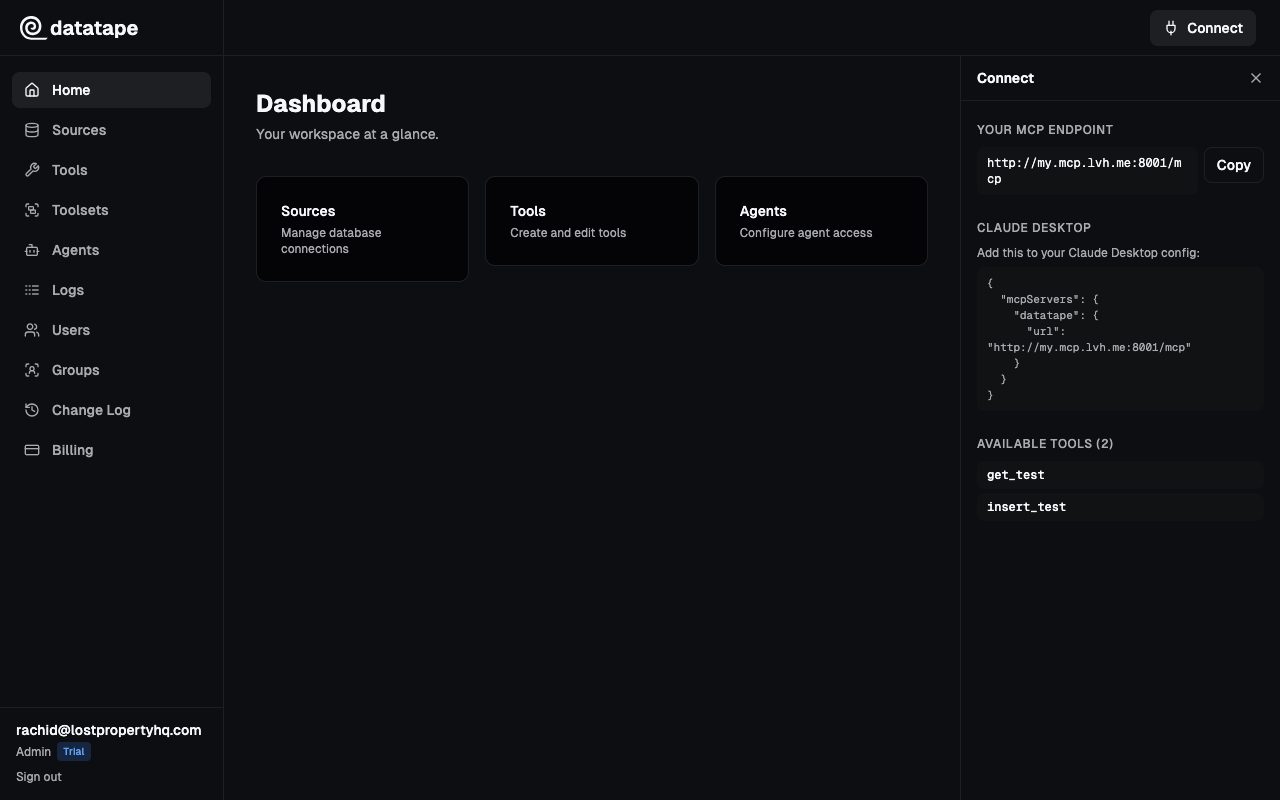
Each organization gets a single MCP endpoint:
https://<org-id>.mcp.datatape.ai/mcpYou can find your endpoint URL on the organization settings page in the dashboard.
HTTP API Endpoint
For REST-style access without an MCP client, each organization also has an HTTP API:
https://<org-id>.http.datatape.ai/tools
https://<org-id>.http.datatape.ai/tools/<tool-slug>/call
This provides the same tools and authentication but uses standard REST conventions (JSON request/response) instead of JSON-RPC.
User Endpoint
For personal access via OAuth, Datatape provides a user-level MCP endpoint:
https://my.mcp.datatape.ai/mcpThis endpoint surfaces the tools assigned to the authenticated user — either directly or through toolsets and group memberships.
Transport Protocol
Datatape uses Streamable HTTP as the MCP transport. This is the standard HTTP-based transport defined in the MCP specification.
Key characteristics:
- All communication happens over standard HTTPS
- No WebSocket upgrade required
- Works through corporate proxies and firewalls
- Stateless — each request is independent (no session affinity needed)
The MCP endpoint accepts POST requests at /mcp with JSON-RPC payloads for tools/list and tools/call operations.
What Gets Exposed
The tools visible to a caller depend on how they authenticate:
- Agent API key — the caller sees only the tools assigned to that agent (directly or via toolsets)
- OAuth / JWT — the caller sees the tools assigned to their user account (directly, via toolsets, or via group memberships)
Each tool appears with:
- Name — the tool's slug (used as the function name)
- Description — your tool description plus metadata (e.g., "Returns at most 100 rows.")
- Input schema — JSON Schema generated from your parameter definitions
Tools from different sources can be mixed together. For example, a single endpoint might expose SQL tools for PostgreSQL alongside tools for a REST API.
AI agents never see your SQL templates, database credentials, or connection details. They only see tool names, descriptions, and parameter schemas.
Agents
Agents represent programmatic consumers of your MCP endpoint. Each agent has:
- A name and optional description
- An embedded API key (generated at creation, shown once)
- A set of assigned tools (directly or via toolsets)
Create multiple agents to segment access by use case:
- "Customer Support Bot" — tools for customer lookups
- "Analytics Agent" — revenue and metrics tools
- "CI Pipeline" — operational tools for automation
Each agent authenticates with its own API key and can only access its assigned tools. See Creating an Agent for setup instructions.