Audit logs
Track who called what tool, with what parameters, and when — with retention based on your plan.
Audit logs
Datatape logs every tool execution so you can track how AI agents interact with your data. Audit logs answer four questions: who, what, when, and what happened.
What's logged
Each audit log entry captures:
| Field | Description |
|---|---|
| Timestamp | When the tool was called (UTC) |
| Identity | User email (for OAuth) or agent API key hint (for key auth) |
| Agent | Which agent received the request |
| Tool | The tool that was executed |
| Parameters | The parameter values passed to the tool |
| Status | Success or failure |
| Duration | How long the query took to execute |
| Result summary | Row count returned (result data is not stored) |
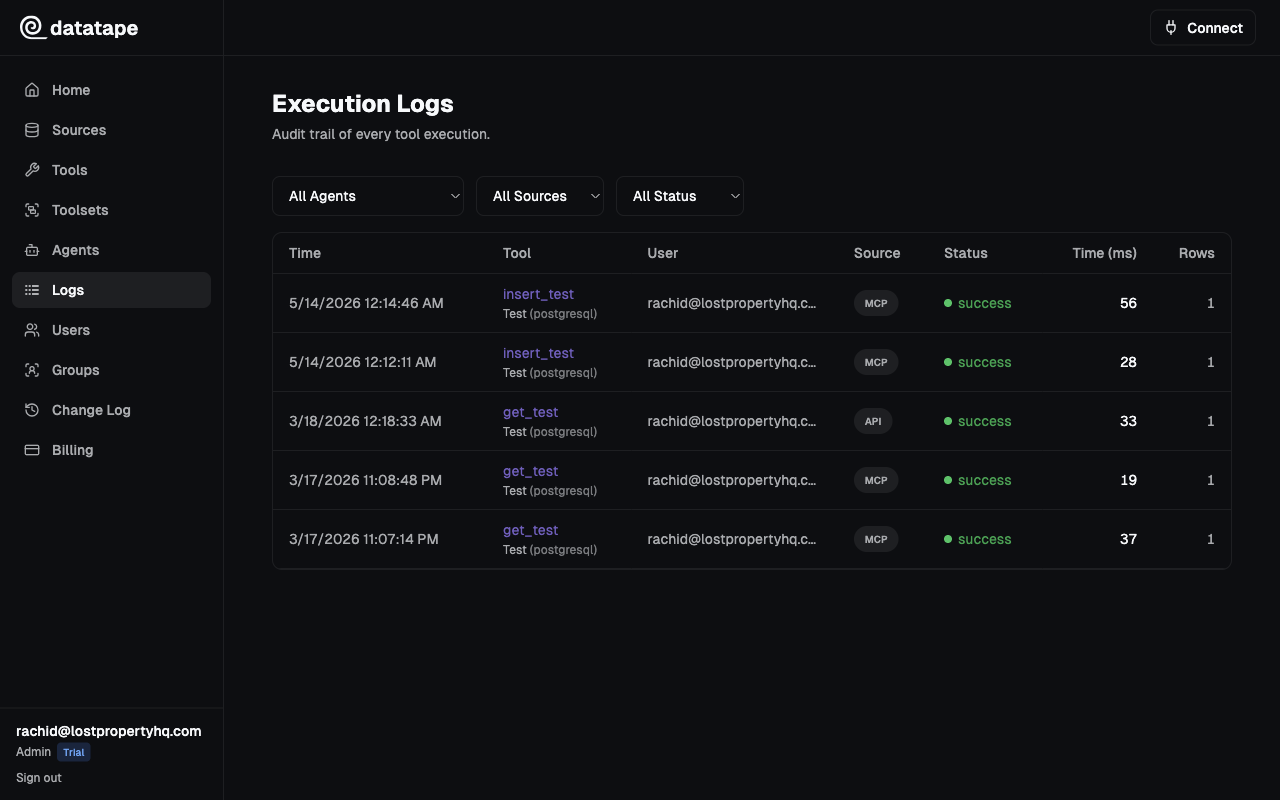
Query result data is not stored in audit logs. Only metadata (row count, duration, status) is retained. This keeps logs lightweight and avoids storing sensitive query output.
Accessing audit logs
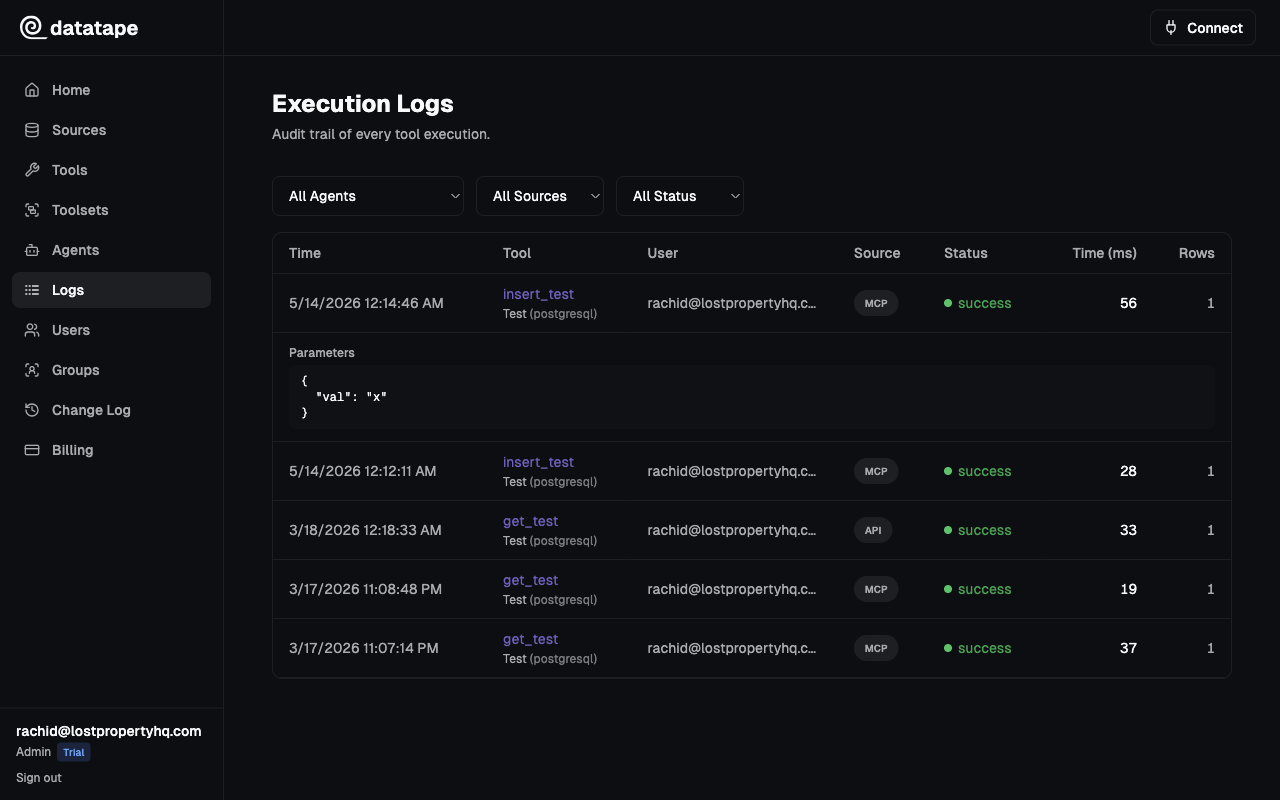
- Go to Settings > Audit Logs
- Filter by date range, agent, tool, or user
- Click any entry to see full details including parameters
You can also filter logs at the agent level by navigating to an agent and opening its Audit Log tab.
Retention by plan
| Plan | Retention period |
|---|---|
| Team | 7 days |
| Scale | 90 days |
| Enterprise | 1 year or custom (contact us) |
Logs older than your plan's retention period are permanently deleted and cannot be recovered. If you need longer retention, consider upgrading your plan or exporting logs via the API.
Export
Enterprise plans can export audit logs via the API for ingestion into your SIEM or data warehouse:
curl https://api.datatape.ai/api/v1/audit-logs \
  -H "Authorization: Bearer dt_live_..." \
  -d '{"from": "2026-01-01", "to": "2026-03-15"}' \
  -o audit-logs.json
Use cases
- Compliance — demonstrate to auditors exactly what data AI agents accessed
- Debugging — trace a bad result back to the parameters and tool that produced it
- Usage tracking — identify which tools are called most and by whom
- Security review — detect unexpected access patterns or unauthorized key usage