SQL Templates
Write parameterized SQL queries with Jinja2 conditionals and safe parameter binding.
SQL Templates
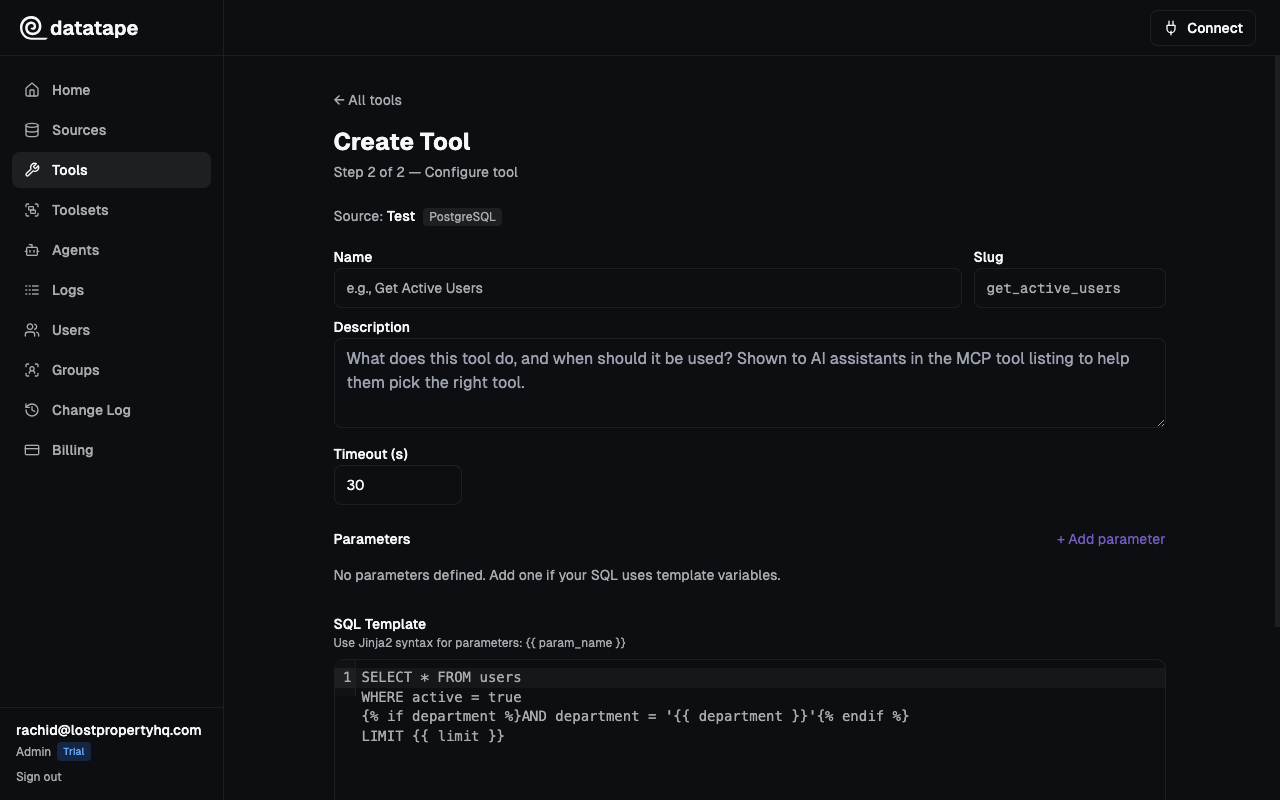
SQL templates are the core of Datatape tools. They combine standard SQL with {{ parameter }} placeholders and optional Jinja2 conditionals to create flexible, safe queries.
Basic Syntax
Wrap parameter names in double curly braces. Datatape replaces them with database-specific bound parameters at execution time.
SELECT name, email, plan
FROM customers
WHERE region = {{ region }}
ORDER BY created_at DESC
LIMIT {{ limit }}
Parameters are never string-interpolated into SQL. They are converted to bound parameters ($1, :name, %(name)s, or @name depending on the database), which prevents SQL injection by design.
Jinja2 Conditionals
Use {% if %} blocks to include or exclude clauses based on whether a parameter is provided. This lets a single tool handle multiple query shapes.
SELECT product_name, revenue, units_sold
FROM sales
WHERE 1=1
{% if category %}AND category = {{ category }}{% endif %}
{% if min_revenue %}AND revenue >= {{ min_revenue }}{% endif %}
ORDER BY revenue DESC
LIMIT {{ limit }}
When category is omitted, the AND category = ... clause is removed entirely. The WHERE 1=1 pattern ensures the remaining AND clauses are valid SQL.
Jinja2 conditionals check for truthiness. An empty string or null evaluates to false, so optional parameters naturally drop their clauses when omitted.
Database-Specific Placeholders
Datatape automatically converts {{ param }} to the correct placeholder format for your database:
| Database | Placeholder Format | Example |
|---|---|---|
| PostgreSQL | :name | WHERE id = :customer_id |
| MySQL | :name | WHERE id = :customer_id |
| Snowflake | %(name)s | WHERE id = %(customer_id)s |
| BigQuery | @name | WHERE id = @customer_id |
You never write these formats yourself. Always use {{ param }} in your templates.
Common Patterns
Filtering with Optional Columns
SELECT order_id, customer_name, total, status
FROM orders
WHERE 1=1
{% if status %}AND status = {{ status }}{% endif %}
{% if customer_id %}AND customer_id = {{ customer_id }}{% endif %}
{% if min_total %}AND total >= {{ min_total }}{% endif %}
ORDER BY created_at DESC
LIMIT {{ limit }}
Aggregation
SELECT
  date_trunc('{{ granularity }}', created_at) AS period,
  COUNT(*) AS order_count,
  SUM(total) AS revenue
FROM orders
WHERE created_at >= {{ start_date }}::date
  AND created_at < {{ end_date }}::date
GROUP BY 1
ORDER BY 1
Date Ranges
SELECT user_id, event_type, created_at
FROM events
WHERE created_at BETWEEN {{ start_date }}::date AND {{ end_date }}::date
{% if event_type %}AND event_type = {{ event_type }}{% endif %}
ORDER BY created_at DESC
LIMIT {{ limit }}
Joins
SELECT
  c.name AS customer,
  COUNT(o.id) AS order_count,
  SUM(o.total) AS total_spent
FROM customers c
JOIN orders o ON o.customer_id = c.id
WHERE o.created_at >= {{ since_date }}::date
{% if region %}AND c.region = {{ region }}{% endif %}
GROUP BY c.name
ORDER BY total_spent DESC
LIMIT {{ limit }}
Read-Only Validation
All SQL templates are validated with SQLGlot before execution. The following statement types are blocked:
INSERT,UPDATE,DELETE,MERGECREATE,DROP,ALTER,TRUNCATEGRANT,REVOKE
This validation runs on every execution, including within CTEs and subqueries.
Write operations are blocked at the platform level regardless of database permissions. Use read-only database credentials as an additional layer of defense.
Row Limits
Each SQL tool has a configurable max_rows setting (default: 1000). Results are truncated to this limit after execution. The AI agent sees the row_count in the response so it knows whether results were capped.
